The Complete Guide to Intersection Observer API: From Basics to Advanced
· 4 min read
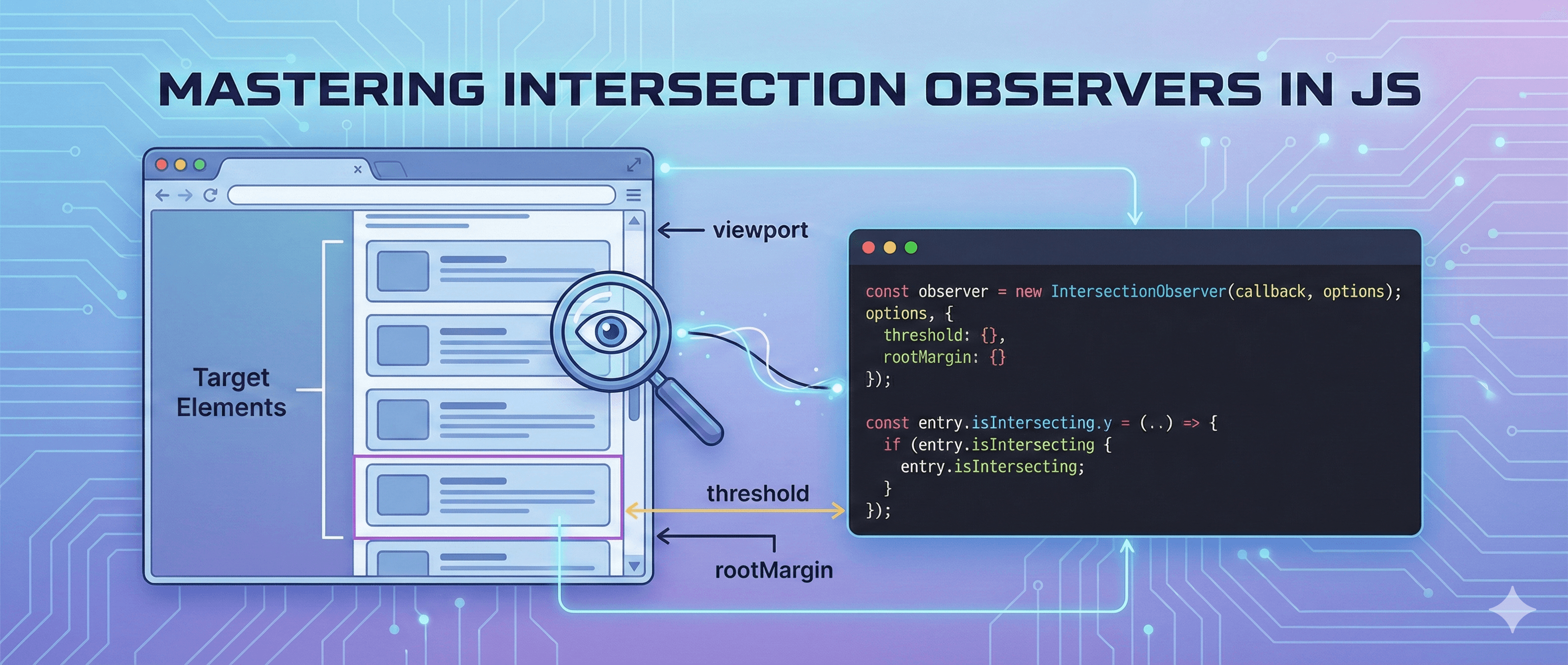
Table of contents
Scroll events fire constantly and can seriously hurt your website's performance. Every pixel of scroll can trigger a callback, and if that callback does layout reads or heavy math, you'll drop frames fast. The Intersection Observer API is the modern fix: a native browser feature that tells you when an element enters or leaves the viewport — only when its visibility actually changes.
Why Intersection Observer?
- Runs off the main thread, so it doesn't block interactions.
- Eliminates manual
getBoundingClientRect()+ scroll math. - Far lighter on mobile devices and batteries.
- Zero dependencies — it's built into the browser.
The Basics
You create an observer with a callback, then tell it which elements to watch.
const observer = new IntersectionObserver((entries) => {
  entries.forEach((entry) => {
    if (entry.isIntersecting) {
      console.log('Element is visible!', entry.target);
    }
  });
});

const target = document.querySelector('.box');
observer.observe(target);
Configuration Options
The constructor accepts an options object with three key settings:
const observer = new IntersectionObserver(callback, {
  root: null, // the viewport (default) or a scrollable ancestor element
  rootMargin: '0px 0px 200px 0px', // grow/shrink the observation zone
  threshold: 0.5, // fire when 50% of the element is visible
});root— the element used as the viewport.nullmeans the browser viewport.rootMargin— CSS-like margins that expand or contract the root's box. Great for "pre-loading" things slightly before they appear.threshold— a number (or array) from0to1describing how much of the target must be visible to trigger the callback.
Practical Applications
1. Lazy Image Loading
Defer image downloads until they're about to scroll into view:
const imgObserver = new IntersectionObserver((entries, observer) => {
  entries.forEach((entry) => {
    if (!entry.isIntersecting) return;
    const img = entry.target;
    img.src = img.dataset.src;
    observer.unobserve(img); // stop watching once loaded
  });
});

document.querySelectorAll('img[data-src]').forEach((img) => imgObserver.observe(img));
2. Infinite Scroll
Load the next page when a sentinel near the bottom becomes visible:
const sentinel = document.querySelector('#sentinel');
const loadMore = new IntersectionObserver((entries) => {
  if (entries[0].isIntersecting) fetchNextPage();
});
loadMore.observe(sentinel);
3. Scroll Animations
Add a class when content enters the viewport so CSS can animate it in.
4. Analytics Tracking
Record an impression when a section is actually seen by the user.
5. Auto-playing Video
Play media only while it's visible, and pause it when it scrolls away.
A Reusable React Hook
import { useEffect, useRef, useState } from 'react';

export function useInView(options) {
  const ref = useRef(null);
  const [inView, setInView] = useState(false);

  useEffect(() => {
    const el = ref.current;
    if (!el) return;

    const observer = new IntersectionObserver(([entry]) => {
      setInView(entry.isIntersecting);
    }, options);

    observer.observe(el);
    return () => observer.disconnect();
  }, [options]);

  return [ref, inView];
}
Usage:
function FadeIn({ children }) {
  const [ref, inView] = useInView({ threshold: 0.2 });
  return (
    <div ref={ref} className={inView ? 'visible' : 'hidden'}>
      {children}
    </div>
  );
}
Performance Best Practices
unobserve()an element once you've handled it (e.g. after lazy-loading).disconnect()the observer when you're completely done.- Use reasonable threshold values — you rarely need a 100-step array.
- Debounce expensive work inside the callback.
Browser Support
The Intersection Observer API is supported by 95%+ of modern browsers. For ancient environments, a lightweight polyfill is available — but for most projects you can use it directly today.
Conclusion
If you're reaching for a scroll listener to detect visibility, reach for Intersection Observer instead. It's faster, cleaner, and purpose-built for exactly this job.